
Docs / Insights
Academy - Academy Analytics
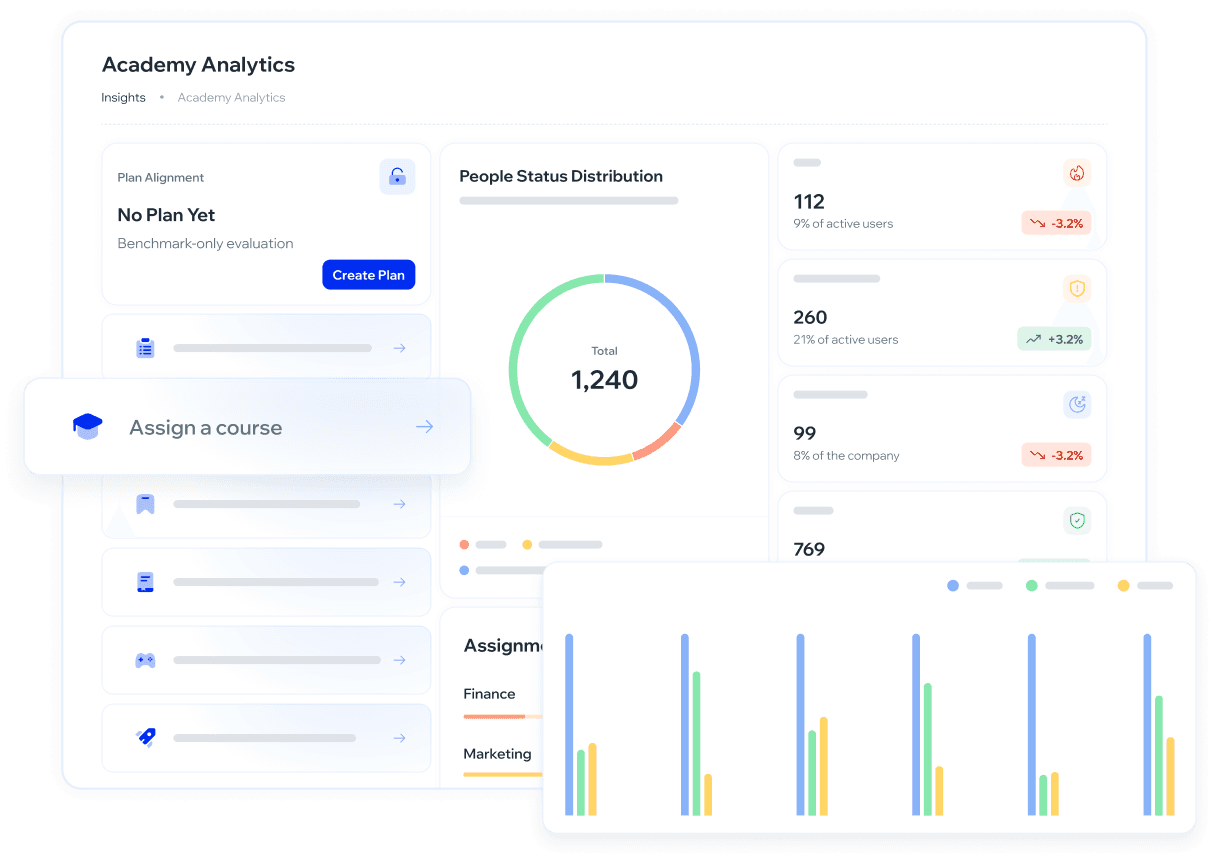
The Academy Analytics dashboard provides a complete view of your organization's training status, showing risk, progress, and assignment coverage in a single panel.
What is it for?
Visualize the overall status of your organization's training program.
Identify users who are At Risk, Needs Attention, Up to Date, or No Training Assigned.
Analyze how the program has evolved compared to the previous period.
Detect training gaps by department or group.
Make data-driven strategic decisions and act directly from the same panel.
When to use this view?
Use Academy Analytics when you want to answer questions like:
How many employees have overdue training today?
Which departments have the lowest training coverage?
Did the program improve or decline compared to last month?
Are there active employees who have never received training?
It's especially useful before audits, leadership presentations, or when you want to prioritize who should receive training first.
How to interpret the results?
People distribution
Shows all active users classified into four statuses:
Status | What it means | What to do |
|---|---|---|
🔴 At Risk | Have courses or learning paths with overdue deadlines | Prioritize: assign training or send a reminder |
🟡 Needs Attention | Have pending training, deadline still active | Monitor; act if the deadline is approaching |
🟢 Up to Date | Completed all their active assignments | No action required |
⚪ No Training Assigned | Active but with no training assigned | Evaluate whether training should be assigned |
Coverage by department and group
Shows what percentage of users with assigned training completed it, grouped by area. A department with low coverage is a concrete gap that requires action.
How is coverage calculated? Only users who have training assigned are considered.
Formula: Coverage = Users with completed courses ÷ (Active users − Users with no assignments)
Example: 5 active users, 1 with no assignments, 2 with completed training → 2 ÷ (5 − 1) = 50% (not 40%).
This ensures a fair measurement of actual compliance.
Comparison with the previous period
When you enable the Previous period toggle, each metric shows whether it improved or declined compared to the prior period. Use it to detect trends before they become problems.
Percentages reflect active users only. Users with no assignments do not affect the coverage percentage.
How to use it?
Navigation: Academy → Academy Analytics
Go to Academy → Academy Analytics.
Enable the Previous period toggle to compare current metrics against the previous period.
Use the Filters button to segment information by department, group, or other available criteria.
Review the main dashboard metrics:
People distribution: shows the number of active users by status:
🔴 At Risk: users with overdue courses.
🟡 Needs Attention: users with pending training that has not yet expired.
🟢 Up to Date: users who completed all their active assignments.
⚪ No Training Assigned: active users with no training assigned.
Coverage by department and group: helps identify areas with training gaps.
Once you identify a risk or gap, use the Quick Actions in the side panel to act without leaving the dashboard:
Course audit log
Learning path audit log
Send a resource
Assign a game
Assign a course
Assign a learning path
Send a simulation
Quick Actions let you move from analysis to action without changing screens.
❓ Frequently asked questions
What is the difference between "At Risk" and "Needs Attention"?
"At Risk" users have already overdue courses. "Needs Attention" users have pending training whose deadline has not yet expired.
What does "Up to Date" mean?
These are users who completed all their active assignments.
What does "No Training Assigned" include?
Active users who have no courses or learning paths assigned.
Do the metrics change based on the selected period?
Yes. When the period filter is enabled, the dashboard automatically updates trends and comparisons.
Do Quick Actions modify historical data?
No. Actions only impact future results — they do not alter past metrics.
Can I export the dashboard information?
Export is not currently available. If this feature is a priority for your organization, you can request it at roadmap.whalemate.com/roadmap.
Can I see the breakdown of users in each status?
This feature is not currently available. You can request it at roadmap.whalemate.com/roadmap.
Have feedback or want to suggest improvements? Let us know at roadmap.whalemate.com/roadmap
Was this helpful?