
Whalemate changelog
🐋 Whale Product Updates · 07.13.2026
🚀 New Features
🚀 Campaigns
🖼️ Customize your recommendation pages
You can now upload, preview, and replace your own recommendation page for each simulation type (Phishing, Smishing, and QRishing) from Settings. This way, when an employee falls for a simulation, they see the content you defined for your company, without depending on Whalemate for every change. If you don't configure your own page, your employees will continue to see the default Whalemate page.
📄 View documentation: https://roadmap.whalemate.com/docs/settings/gestion-de-landing-pages-de-recomendaciones-post-caida
🎓 Awareness — Academy
✨ Security tips with comprehension verification
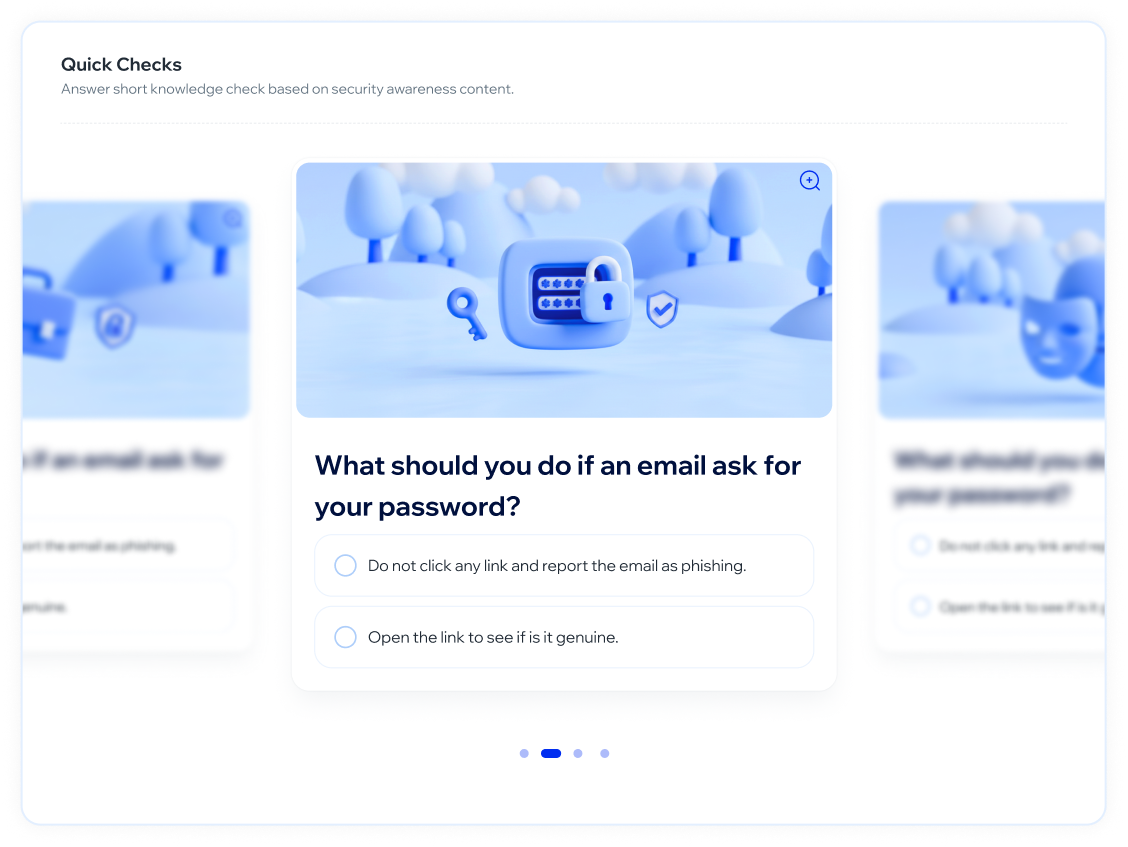
You can now create quick security tips that your employees open from a unique link, without needing prior assignment. Each tip includes an image and a verification question with immediate feedback upon answering, and it saves the answer to display if they log in again. The screen is responsive, with image zoom for greater clarity on mobile devices.
📄 View documentation: https://roadmap.whalemate.com/docs/academy/quick-check
📊 Insights
✨ New employee training risk view
We added a table showing each employee's training status — At Risk, Needs Attention, Up to Date, or No Training — along with their completed trivia, courses, and learning paths. You can filter by status, department, country, or teams, search by name, sort by column, choose which columns to view, and export everything to CSV. This lets you identify at a glance who needs follow-up.
📄 View documentation: https://roadmap.whalemate.com/docs/insights/academia-analiticas-de-academia
✨ Improvements
🎓 Awareness - Academy
📅 New default deadline when assigning content: 1 month
When assigning courses, learning paths, or trivia, the due date now comes pre-filled at 1 month (previously it was 6). You can still choose any date on the calendar, with no maximum limit: only the suggested value changes. This speeds up assignments and better reflects actual compliance deadlines.✨ Renewed Course List
We redesigned the Course List with a grid card view, title search, alphabetical sorting, and filters by language, content, and custom courses, with chips to easily view and remove active filters. From each card you can access enrollments, assign the course, or edit it if it's custom. This renewal is the foundation on which we'll continue adding more features to this section in upcoming releases.
🚀 Campaigns
⏱️ Shorter deadlines for the reinforcement course
When assigning a reinforcement course to someone who falls for a simulation, you can now choose shorter deadlines to complete it (1 week or 2 weeks), in addition to the 30 and 45 day options. This gives you more flexibility to create urgency and quickly close the learning cycle after a simulated incident.
🎨 Platform / UX
🔎 More traceability in the audit log
The audit log now includes Academy assignments (assigning or removing a course, learning path, or resource) and booster changes for a group or employee, showing the previous and new value. This way you can clearly answer who assigned what or who modified a group's risk level, with no blind spots.
📊 Insights
✨ Redesigned course audit log
We renewed the per-employee course history table within Course analytics, with filters by department, country, team, course, and status, plus search and sorting by employee. You can now choose which columns to view, export the information to CSV, download certificates in bulk, and check the complete history of each enrollment. The result is a clearer, more flexible view for tracking training status.
🐛 Fixes
📊 Insights
🔁 More accurate recurrence calculation
We fixed the calculation of repeat offenders so it considers the most severe event according to the campaign type (for example, file download or password compromise, not just the click). The counter now correctly reflects recurrence cases, even when an employee falls for different campaign types. The data is now consistent between the campaign detail and the Campaign Impact module.
🎓 Awareness — Academy
🔗 Deep link to course with Google SSO restored
We fixed an issue where, when opening the direct link to a course without an active session and logging in with Google, the flow didn't lead to the corresponding course. Now, when authenticating with Google, you arrive directly at the course with automatic enrollment if applicable, just like with other access methods. This issue only affected login with Google SAML.📋 Completed course history for inactive employees
We fixed an issue where, when deactivating an employee in the payroll, their completed courses and learning paths stopped appearing in the enrollment history, altering the completion record. Now completed enrollments are always preserved in the history, even if the employee is no longer active; only incomplete enrollments stop being displayed. This keeps your team's training record whole and reliable over time.
🚀 Campaigns
🎯 Fixed audience selection by groups
We fixed an issue in audience selection when launching phishing campaigns. Now, when choosing a group, all its employees are included with no limits, no duplicates when someone belongs to more than one group, and errors no longer occur when working with large groups. Audience selection is now more accurate and reliable.